


For this walkthrough, we requested two independent scenes of 100 to 160 words. Creative additions were allowed, but the names, objects, locations, timing constraints and no-combat rule had to remain intact.
Change the brief, then check the scene
The first case used Nora, a librarian, a blue key in a garden and a library that closed at sunset. The resulting scene stayed with those details and resolved its immediate action. It contained 154 words by the counting method used in our review.
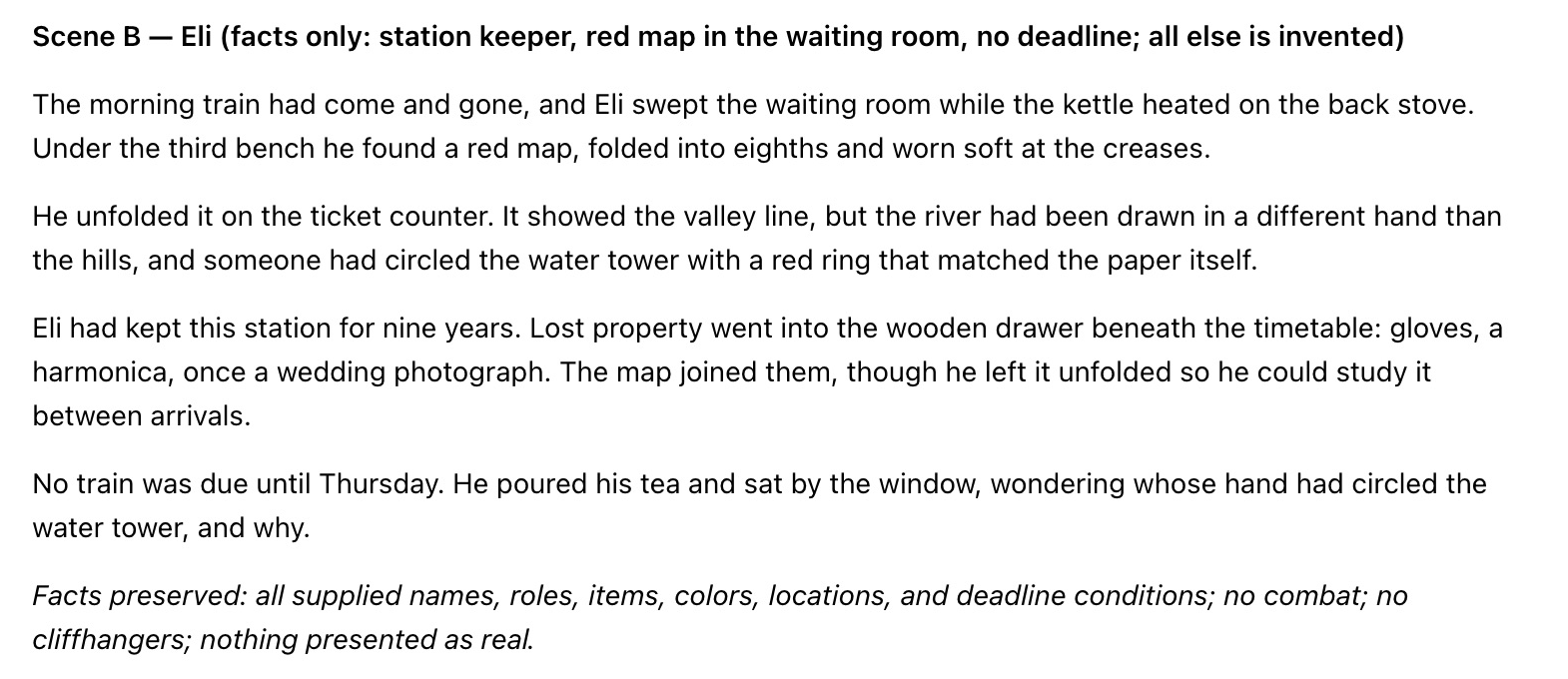
The second case changed the character to station keeper Eli and the object to a red map in a waiting room. This case had no deadline. Its 146-word scene preserved that untimed setting and completed the immediate action without adding combat.
The Eli scene opens with the keeper sweeping the waiting room and finding a red map under a bench. The invented setting details gave the scene a place to unfold while preserving the named character, object and location. We checked the additions against the fixed facts.
Write a brief with a clear ending requirement
Select Fiction Writing Expert in a new task. We used GPT-5.6-Sol in Orlino desktop 0.0.6.
Write a fictional scene of 100 to 160 words from these fixed facts: [character, role, object, color, place and timing]. No combat. Creative scene details are allowed, but do not change the fixed facts. Resolve the scene's immediate action. Reply in English in chat and identify the scene as fiction.If you care about the counting method, state it. Names, contractions and punctuation can affect counts across tools, especially when the requested range is narrow.
Edit for the story you want
Read the scene once for continuity and once for voice. Check whether a changed object color, new deadline or unresolved action has altered the assignment. Passing those checks does not settle the literary quality; it gives you a draft that fits the requested frame.
Both scenes fit the requested range and remained available after reopening. Their fit with the brief leaves voice and literary quality for the writer to judge.
Draft a short scene in Orlino with the constraints you want the next revision to preserve.
About this walkthrough
Published by Orlino Editorial from two recorded fictional chat cases in Orlino 0.0.6 with GPT-5.6-Sol on October 21, 2026. The starting prompt is adaptable. These examples establish only the described scope, not general model reliability. Screenshot text is unchanged; account controls are outside the crop. See our editorial process.
Try your next task in Orlino.
Bring your notes, files, and questions to Orlino. Choose the app for your device.