


A PDF can look straightforward while containing several layers of ambiguity. The printed page number may differ from the viewer’s page index. A table may continue across pages. A footnote can narrow the meaning of a value that otherwise appears comparable. Useful Gemini 4 PDF analysis preserves those details instead of compressing them away.
This guide uses a hypothetical annual operating report to explain a document-review workflow. It covers inventory, extraction, reconciliation, and a final report with traceable evidence. The example is a proposed method, not a claim that the model has been tested on a particular company’s documents.
For specifications and access considerations, see the Gemini 4 model guide.
Confirm PDF support in the actual environment
The Carbon model reference and Argon model reference list PDF among their supported inputs. Your application can still impose its own upload, file-size, page, or tool limits. Check the environment before building a workflow around a large document set.
Also check what the output needs to be. The model may produce text containing a table, while the application supplies the ability to save a spreadsheet or a report. A supported input modality does not establish that every desired file artifact can be created in the current session.
For the broader setup, the Gemini 4 model guide separates provider capabilities from application features. Preserve that distinction in a handoff so that a later user knows which steps depend on an enabled tool rather than the model alone.
Inventory documents and versions before reading
Create a list with each document’s title, date, version, page count, and purpose in the task. Identify the authoritative document when an updated edition and a draft are both present. A comparison becomes unreliable if one value comes from a corrected report and another from its earlier version.
Distinguish text-based pages from scanned pages and mixed content. A selectable-text layer can help extraction but may contain errors or omit layout relationships. A scan can require visual interpretation. Inspect representative pages rather than assuming that the first page describes the whole file.
Record page references in two forms when necessary: PDF page index and printed page label. A note such as “PDF page 14, printed page 12” makes evidence easier to find. Decide on the convention before producing a large extraction so that references remain consistent.
Define the question and extraction schema
A request to summarize everything encourages a broad answer that may omit the detail needed for the actual decision. State the question first: “How did operating expenses change across the three regions, using comparable annual figures?” Then define the fields that the extraction must preserve.
| Field | Purpose | Example of an ambiguity to flag |
|---|---|---|
| Metric label | Preserve the document’s meaning | Adjusted versus reported expense |
| Period | Keep comparisons aligned | Calendar year versus fiscal year |
| Region | Identify the population | A region definition changed |
| Value and unit | Support arithmetic | Thousands versus millions |
| Page and table | Make the value traceable | Continued table on the next page |
| Footnote or condition | Preserve scope | Excludes one subsidiary |
| Review status | Show what remains uncertain | Blurred cell or conflicting total |
Use null or an explicit missing marker when a required field is unavailable. Do not let a blank cell become zero by default. The schema should make absence visible without asking the reviewer to infer whether the model forgot a field.
Use the Carbon vs Argon comparison to design a document task that distinguishes extraction quality from model positioning.
Inspect table structure before extracting values
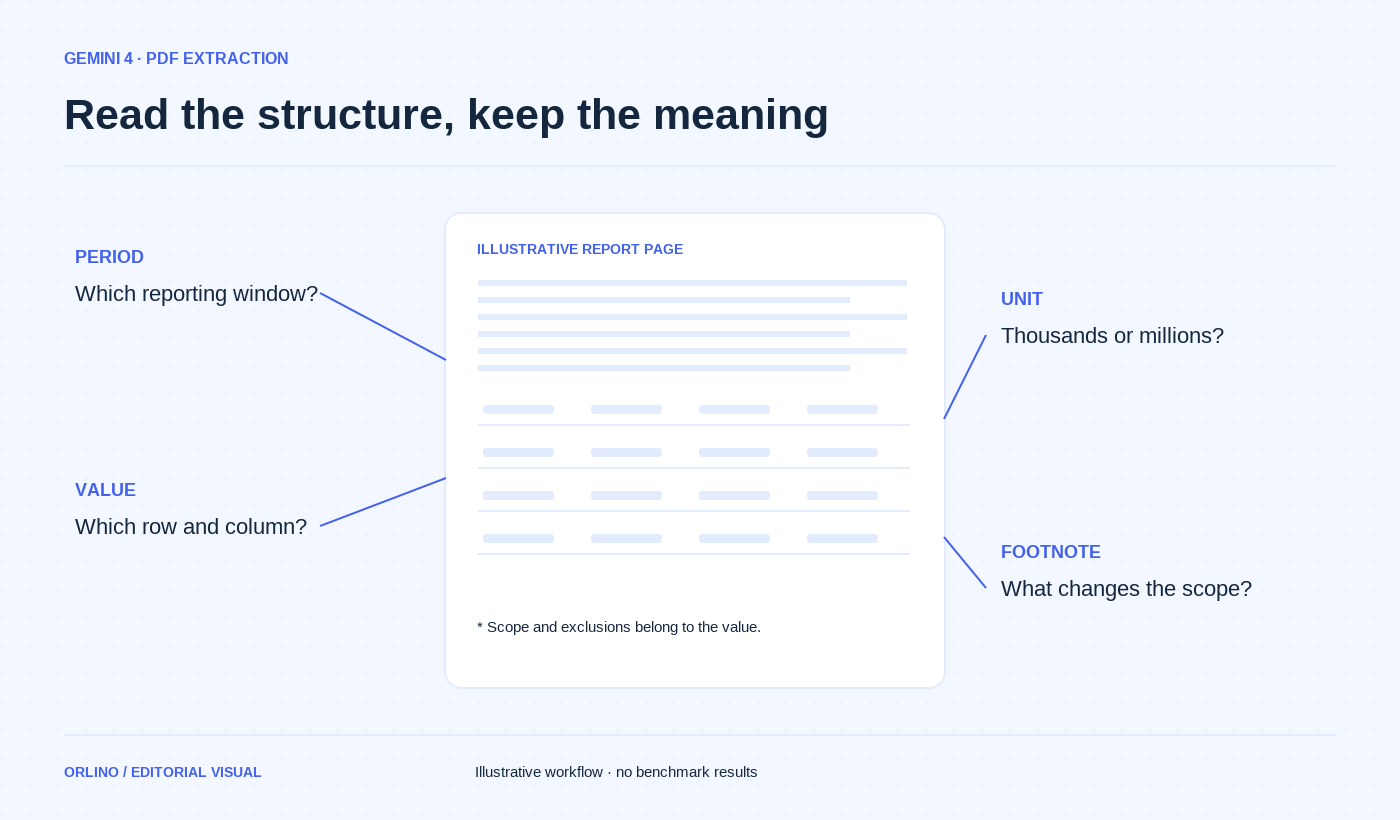
Read the header hierarchy and any continued-table labels. A column labeled “2026” might sit beneath a parent header that says “Restated,” while a neighboring table uses originally reported figures. Flattening both into a simple year column can create an invalid comparison.
Check whether rows are subtotals, totals, or overlapping categories. Adding every visible number can double-count a subtotal. Likewise, a dash may mean zero, not applicable, or not reported depending on the document’s notation. Preserve the original symbol until its meaning is established.
For merged cells and multi-page tables, reconstruct the structure explicitly. Include repeated identifiers on each extracted row so that the exported table remains understandable outside the PDF. If a region name appears only once above several rows, the extraction should not lose that grouping when copied into a spreadsheet.
Use a prompt that preserves uncertainty
The prompt should require traceable extraction before interpretation. Ask the model to identify unreadable or conflicting cells instead of filling them with likely values. A confident guessed digit can be harder to detect than a visible exception.
Extract the regional operating-expense table from the supplied report.
Preserve metric labels, periods, units, and relevant footnotes.
For every value, give the PDF page and printed page label if different.
Mark unreadable or ambiguous cells for review; do not guess.
Reconcile totals only where categories are mutually exclusive.
After extraction, summarize changes supported by comparable figures.
Keep interpretation separate from the extracted evidence.
Adapt the schema to the actual document. A technical manual may need requirement IDs and conditions, while a financial report needs period and unit definitions. The valuable feature is the connection between each output field and its location, rather than a universal table format.
Verify consequential cells against the page
Inspect the cells that drive the conclusion, unusual values, totals, and any row marked uncertain. If the report will support a consequential decision, the review scope may need to cover the full relevant extraction. Sampling is a workflow choice, not a guarantee that uninspected cells are correct.
Use a page view when layout carries meaning. Plain extracted text can place a footnote far from its table or reorder columns. A visual check can reveal that a value belongs to the adjacent period or that parentheses indicate a negative amount.
Keep corrections in a small exception log. Record the original extraction, corrected value, page location, and reason. This makes quality issues easier to diagnose and supports rerunning the extraction without losing the reviewer’s decisions.
For repeated extraction, the Gemini 4 pricing guide explains how document size and retries enter the budget.
Reconcile totals and calculate changes separately
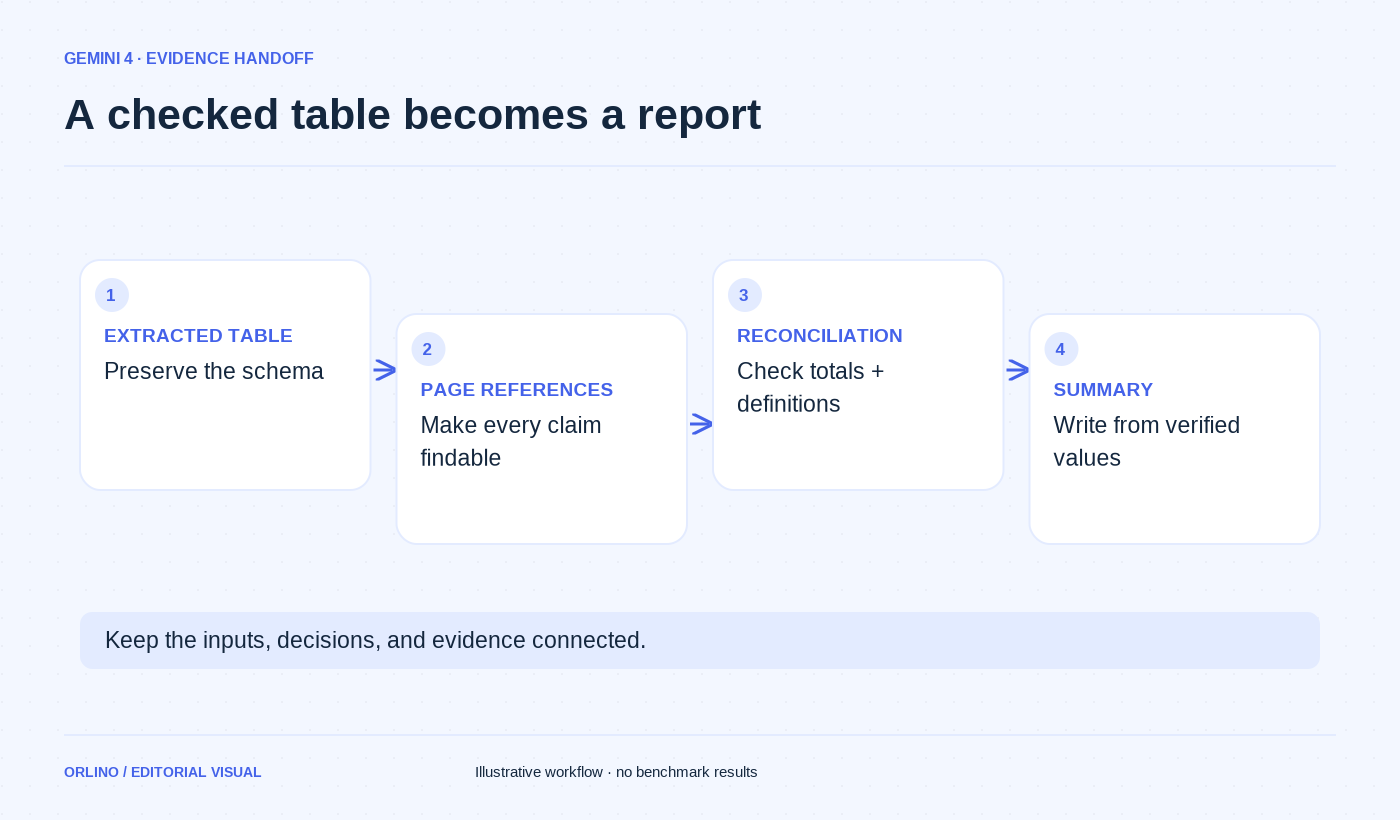
Assume a hypothetical table lists regional expenses of 120, 80, and 50 million, with a total of 250 million. The sum reconciles arithmetically. That check supports the extraction, but it does not prove that every row label and period is correct. Arithmetic and semantic checks solve different problems.
If the previous comparable total is 200 million, the increase is 50 million and the percentage increase is 25%. Show the formula and preserve the denominator. A change from a negative or zero base needs a different explanation; do not apply the standard percentage formula mechanically.
Do not force an unexplained discrepancy into the extraction. A reported total may include an adjustment or rounding difference. Keep the document’s value, calculate the difference, and look for an explanation in the notes. If none is found, describe the unresolved difference rather than silently changing a cell.
Compare documents without mixing definitions
Before creating a year-over-year table, check whether reporting boundaries changed. A region may have been reorganized, an acquisition may have expanded the population, or an adjusted metric may exclude a different set of costs. Matching labels alone do not establish comparability.
Build a definition map with the metric, period, unit, population, and adjustments for each document. Where those fields differ, explain the difference and decide whether a qualified comparison is still useful. A smaller comparable subset can be more defensible than a complete-looking table built from incompatible figures.
For a report that combines PDF evidence with web research, the Gemini 4 research workflow provides a way to track conflicts and update claims. Keep the document version attached to each extracted fact so that a later correction can be traced.
Write the summary from the verified table
Draft the narrative after the extraction and calculations have been reviewed. State the main observation, the supporting values, and the conditions that affect interpretation. If one region accounts for most of the increase, show the arithmetic that supports that statement.
Separate explanations given by the document from your own hypotheses. A report may attribute an increase to a specific event; quote or paraphrase that explanation with its location. If you infer another possible cause, label it as an interpretation and identify the evidence needed to assess it.
Keep limitations near the affected conclusion. A footnote that changes the meaning of a comparison should not be hidden in a generic disclaimer at the end. The reader should encounter the condition while deciding what the numbers mean.
Export a package that remains reviewable
Retain the extraction table, calculation sheet or script, exception log, and narrative report. Use stable row identifiers so that a comment on one value can be traced across artifacts. Include the document inventory and page-reference convention in the handoff.
If spreadsheet export is unavailable, provide a clearly structured table or CSV text and explain that the file has not been created. Do not claim a saved artifact exists merely because the model described its intended contents. Actual file creation and successful opening are separate checks.
For recurring PDF work, record usage and review effort during the pilot. The Gemini 4 pricing guide explains why document size and retries matter alongside listed token rates. A larger context window does not remove the need to budget for verification.
Conclusion
Use Gemini 4 PDF analysis as a traceable extraction and review process. Inventory the documents, preserve table structure and footnotes, verify consequential cells, and calculate changes from comparable values. Write the final interpretation only after those checks. The result should let another reader locate the evidence and understand the conditions behind the conclusion.
FAQ
Can Gemini 4 accept PDF input?
The Carbon and Argon references list PDF input support. Check the upload and processing limits in your actual application before planning a large document task.
Can it analyze scanned PDFs?
Document quality and the application’s processing path affect the result. Inspect representative scanned pages and verify important extracted values rather than assuming the file was interpreted perfectly.
Which page number should citations use?
Use a consistent convention. When viewer and printed numbering differ, include both so that another reader can find the evidence without guessing the offset.
Should missing values become zero?
Only when the document’s notation or an agreed data rule establishes that meaning. Otherwise preserve an explicit missing or ambiguous status.
Does a matching total prove the extraction is correct?
No. Totals can reconcile while labels, periods, or units are wrong. Check table structure and definitions alongside arithmetic.
How do I handle a table that continues across pages?
Preserve the shared headers, repeated identifiers, and relevant notes. Verify that the continued section uses the same units and column definitions before combining rows.
What should I deliver with the summary?
Include the extraction table, evidence locations, calculations, exceptions, and document versions. Those artifacts make the conclusion easier to inspect and update.