


Gemini 4 pricing is easiest to understand when you separate the listed token rate from the cost of completing a task. Carbon and Argon can have the same listed rate during a pricing period while using different amounts of input and output. Retries, reasoning-related usage, and tools can also affect the final bill.
This guide uses provider pricing checked on November 11, 2026. It includes the scheduled rate change rather than treating the introductory price as permanent. All calculations below are hypothetical examples using stated token quantities. They are arithmetic illustrations, not measured Gemini requests or Orlino plan prices.
For specifications and access considerations, see the Gemini 4 model guide.
Identify the product you are paying for
A consumer subscription, a developer API account, and a third-party application are different purchasing routes. Each can have its own access rules, usage limits, and billing terms. A subscription price should not be divided by a provider token rate to infer an entitlement that the product does not promise.
For developer API budgeting, use the current model-specific provider terms and the usage returned by your requests. For an application such as Orlino, use the plan and usage information shown in that application. Provider rates are useful reference information, but they do not establish an application’s markup, allowances, model availability, or billing method.
Keep the purchasing route in your estimate header. This small detail prevents a common misunderstanding when a budget is forwarded: someone sees a token calculation and assumes it describes the price of an unrelated subscription. Include the currency, date checked, and pricing period as well.
Check the dated Carbon and Argon rates
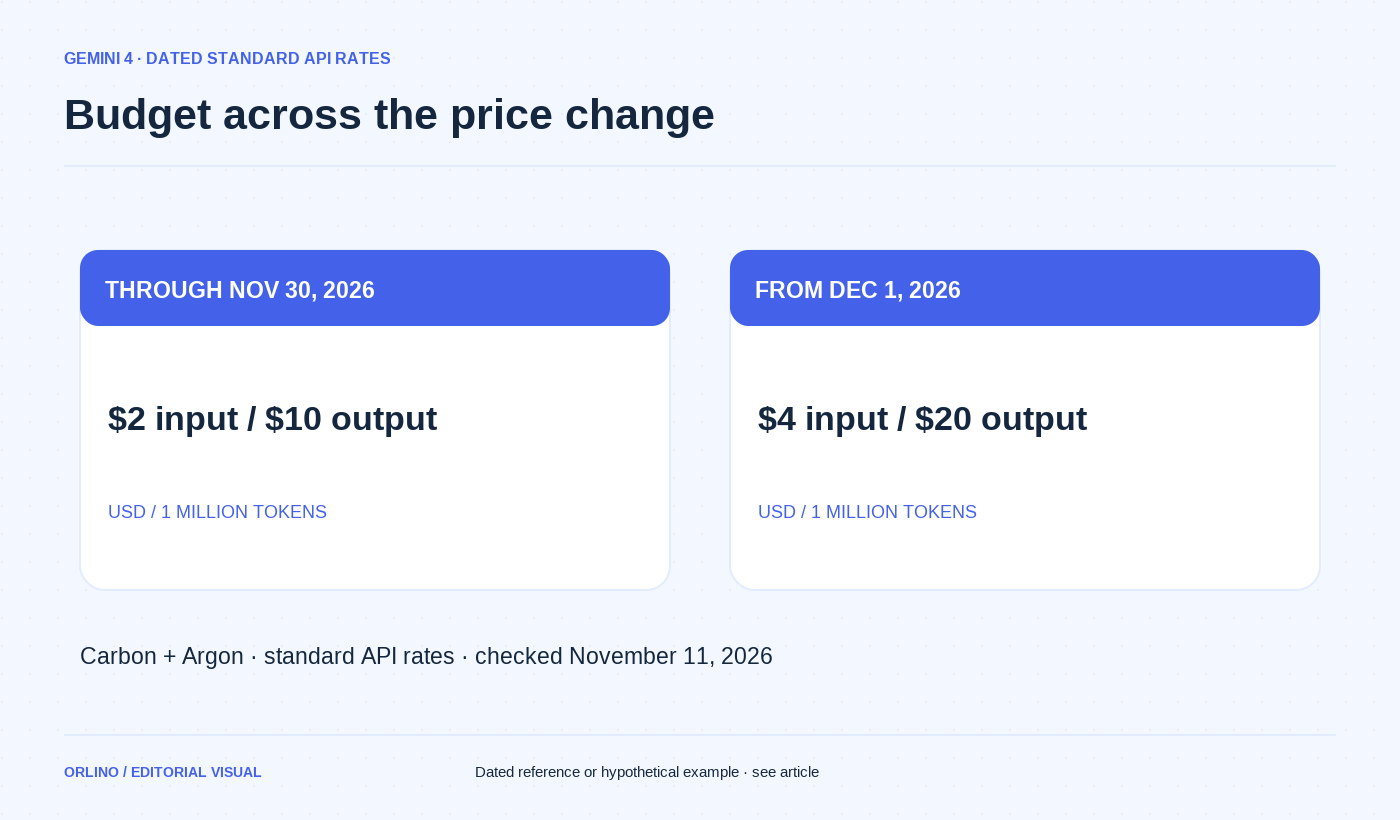
The official Gemini API pricing page lists the following standard rates for Carbon and Argon. Both are outside the free tier in their model-specific pricing sections. Recheck the live page before a purchase or production rollout because published terms can change.
| Standard API rate per million tokens | Through November 30, 2026 | Starting December 1, 2026 |
|---|---|---|
| Gemini 4 Carbon input | $2 | $4 |
| Gemini 4 Carbon output, including thinking | $10 | $20 |
| Gemini 4 Argon input | $2 | $4 |
| Gemini 4 Argon output, including thinking | $10 | $20 |
These are dated provider reference rates. They do not mean every task costs the same on both models. A longer investigation, a larger answer, or a repeated attempt changes the quantities that the rates multiply. Preserve both the rate and the actual usage in your records.
Calculate a simple request estimate
Assume a hypothetical request uses 100,000 billable input tokens and 10,000 billable output tokens. At the introductory standard rates, the input component is 100,000 divided by one million times $2, or $0.20. The output component is 10,000 divided by one million times $10, or $0.10. The token subtotal is $0.30.
Using the scheduled December standard rates and the same quantities, input becomes $0.40 and output becomes $0.20. The token subtotal becomes $0.60. This example isolates the effect of the rate change by holding usage constant. It does not predict that a real task will use these quantities or that all other chargeable components are absent.
Use a formula that keeps the components visible: input tokens multiplied by the applicable input rate, plus output tokens multiplied by the applicable output rate, with each token count divided by one million. Add separately applicable charges according to the chosen product’s current terms.
A Gemini 4 PDF analysis guide gives the budget a concrete document workload with explicit review steps.
Do not equate visible answer length with billed output
A short answer can sit on top of a more involved process. The provider pricing page includes thinking in output pricing and describes billable processing beyond the visible final response. Use actual usage information where available rather than estimating the entire bill from the number of words displayed in the chat.
The same principle applies to input. A request can include system instructions, tool declarations, prior conversation, retrieved material, and repeated documents. Counting only the user’s latest message can materially understate the processed context. Inspect how your client constructs requests before forecasting volume.
Keep usage categories in their original form in your logs. If the provider or SDK exposes separate fields, retain them even if your first dashboard shows only a total. That detail makes later reconciliation easier and helps explain why two requests with similar visible answers have different costs.
Budget for a complete task and its retries
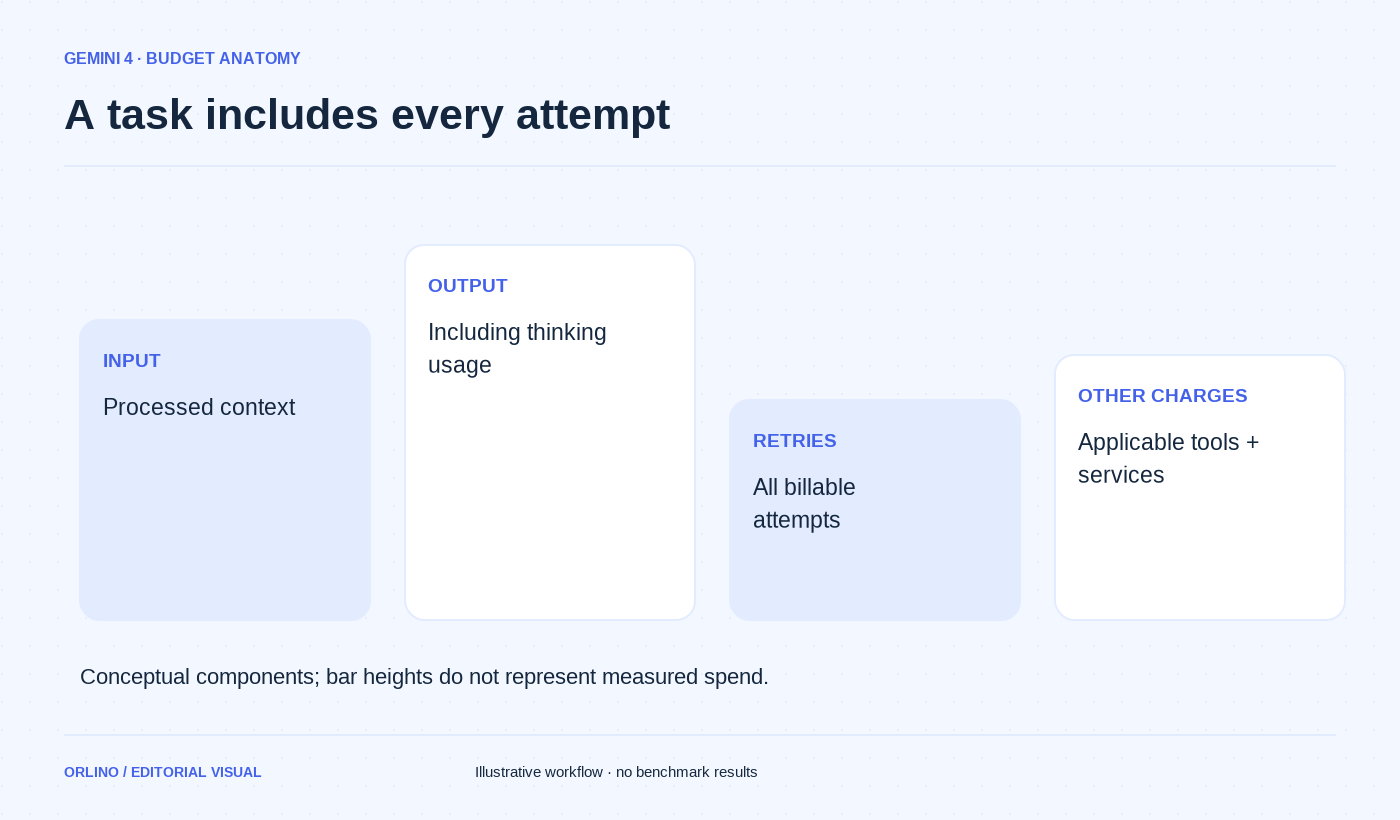
Suppose a document-analysis task requires an initial extraction, a correction after a table check, and a final report. Its cost is the sum of the billable requests across that sequence. Counting only the successful final request makes the workflow look cheaper than the work needed to reach it.
Track unsuccessful attempts as part of the pilot. A retry may follow a transient failure, an ambiguous instruction, or a factual correction. These have different causes and different remedies. Better input structure may reduce correction loops; a service failure may require operational handling instead.
Define an accepted result before the trial. For example, require that key totals reconcile to the PDF, that consequential claims include locations, and that unresolved ambiguity is reported. Then compare the cost of reaching that accepted result, rather than the cost of generating any response.
Compare Carbon and Argon with the same workload
Equal listed rates do not establish equal task cost. Google positions Argon for efficiency and Carbon for demanding reasoning, but your workflow needs its own evidence. Use the same inputs, tools, and acceptance criteria, and record configuration differences rather than attributing every difference to the model name.
The Carbon vs Argon comparison explains a task-based evaluation. A useful pilot records first-pass quality, total attempts, token usage, elapsed work, and reviewer corrections. If one model requires a different prompt, record the prompt change and its effect.
Avoid presenting one small example as a universal percentage saving. A repeated extraction task and an open-ended engineering investigation have different usage patterns. Report the observed task types and the conditions under which the estimate was produced so that another reader can judge whether it applies.
For engineering work, the Gemini 4 migration workflow helps define an accepted result before comparing request costs.
Control context growth deliberately
A long conversation can repeatedly carry material that no longer matters to the next step. Before adding more documents, identify which inputs support the current decision. A concise task state with links to durable artifacts can be easier to maintain than an ever-growing transcript, provided the next request still has the evidence it needs.
Do not remove essential conditions merely to reduce token count. Deleting a policy exception or a table footnote can create a cheaper but incorrect answer. The objective is relevant context, not the smallest possible prompt. Validate the output after any substantial context reduction.
For repeated document work, identify stable shared material and task-specific material separately. If considering caching or another processing mode, check the exact model-specific availability and terms. Do not apply a general discount or storage assumption to a model without confirming that the configuration qualifies.
Build a monthly budget with scenarios
Use low, expected, and high scenarios rather than one precise-looking forecast. The low scenario might represent shorter tasks with few corrections. The high scenario should include larger inputs, longer outputs, and a realistic share of retries. Explain the assumptions so that the range can be updated after the pilot.
| Budget input | What to collect | Common estimation mistake |
|---|---|---|
| Tasks per month | Actual queue or business forecast | Treating every user session as one request |
| Requests per accepted task | Pilot execution record | Ignoring correction and retry requests |
| Input and output usage | Returned usage fields | Counting only visible text |
| Applicable pricing period | Current provider terms | Extending an introductory rate indefinitely |
| Additional charges | Relevant tool and service terms | Assuming token subtotal is the entire bill |
If a workflow spans November and December, model the two periods separately. For example, 1,000 hypothetical tasks at the $0.30 token subtotal would total $300; the same fixed usage at $0.60 would total $600. These figures exclude other costs and assume one request per task solely for illustration.
Include the effort needed to review the result
A low API bill is useful only if the output meets the task. Record the time needed to inspect citations, correct extracted values, or repair a patch. Keep labor and provider charges separate in the worksheet so that the calculation remains transparent.
For research, the source-checking workflow can help define the review steps that belong in the estimate. For PDF-heavy work, use the document-analysis checks to identify the cells and conditions that need human inspection.
Do not assign an invented monetary value to every minute saved. If the organization has a standard internal costing method, use it and state the assumption. Otherwise report review effort as time alongside the API charge. That still supports a useful decision without false financial precision.
Reconcile the estimate after the pilot
Compare the predicted input, output, retries, and final charges with the observed record. Investigate differences component by component. A larger bill may come from growing conversation history, longer thinking, more corrections, or a pricing-period change; each suggests a different adjustment.
Retain a few representative request records with sensitive content handled according to your organization’s rules. They can show how the client constructs context and whether the recorded usage matches the accounting view. Update the budget using those observations before scaling to a much larger queue.
A budget is a maintained model of the workflow. Add a review date and an owner for the estimate. Recheck it when model versions, prompts, input sizes, tool configuration, or pricing terms change. This makes the forecast useful after the original pilot has ended.
Conclusion
Estimate Gemini 4 cost from dated rates, actual input and output usage, and the full sequence needed to produce an accepted result. Keep the November introductory period separate from the scheduled December rate. Compare Carbon and Argon through representative workloads, then update the estimate with observed usage. The Gemini 4 model guide provides the capability and access context for that pilot.
FAQ
Do Carbon and Argon have the same listed token rates?
The standard rates checked on November 11, 2026 are the same for both models within each listed period. Their task costs can still differ because usage and retries differ.
What changes after November 30, 2026?
The published standard input and output rates in the table increase from $2/$10 to $4/$20 per million tokens starting December 1. Check the live provider page before relying on a future rate.
Is Gemini 4 included in the API free tier?
The model-specific Carbon and Argon pricing sections list no free tier. Do not infer free access from a general description of the API’s free offering for other eligible models.
Does a short answer mean a small bill?
Not necessarily. Processed context and thinking-related usage can extend beyond the visible answer. Use returned usage information and the applicable billing terms.
Are these Orlino subscription prices?
No. The table describes provider API reference rates. Check Orlino’s current plan and account information for its own pricing and model availability.
How should I include retries?
Add all billable requests required to reach the accepted result. Track why retries occur so that workflow improvements and operational failures can be analyzed separately.
Can I forecast a month before running a pilot?
You can create a scenario estimate, but label the quantities as assumptions. A representative pilot provides a better basis for requests per task, token usage, and review effort.